Why Phones & Laptops Charge Slowly & Heat Up: The Complete Guide to Fast Charging, Power Delivery, and Safe Charging Practices
Charging your smartphone or laptop should be a seamless, background task. Yet millions of users report frustrating issues: their devices charge painfully slowly, get uncomfortably hot, or even shut down during charging. These problems aren’t always signs of hardware failure – they’re often the result of mismatched components, outdated accessories, or misunderstood technology.
In this comprehensive guide, we’ll demystify the science behind slow charging and device heating. You’ll learn:
- How USB-C Power Delivery (PD) actually works
- Why GaN (gallium nitride) chargers run cooler and faster
- How battery chemistry affects charging speed
- Which cables and chargers truly deliver on “fast charging” promises
- Practical fixes you can apply today – without buying new gear
We’ll also reference 10 widely available USB-C chargers as real-world examples to illustrate key principles of power delivery, thermal management, and compatibility.
By the end, you’ll know exactly why your device behaves the way it does – and how to optimize every charge cycle for speed, safety, and battery longevity.
|
Product 5035_6cd7ca-5d> |
Description | 5035_330b27-ab> | 5035_d037e3-f4> |
|---|---|---|---|
|
Anker Nano II 30W USB-C Charger 5035_126ed5-55> |
Compact 30 W USB-C charger with Power Delivery and PPS support – small and efficient for phones and small tablets. 5035_9c1cec-9c> |
A real-world example of a common compact charger that can handle everyday charging needs and introduce PD features. 5035_ceb927-a8> | 5035_22a83f-a4> |
|
Anker 737 (or GaNPrime 65W) USB-C Charger |
GaN-based multi-port (typically 2 USB-C + USB-A) charger capable of ~65 W output. 5035_31a625-c6> |
A higher-wattage charger example that can handle both phones and laptops, illustrating multi-port power distribution. 5035_94a901-24> | 5035_84e80b-52> |
|
UGREEN 65W USB-C Nexode 3-Port GaN Charger 5035_2adb9d-b6> |
GaN fast charger with three ports capable of up to 65 W output total. |
Multi-device charging examples and how modern chargers distribute power. 5035_7ae45f-11> |
View on Amazon – UGREEN 65W USB‑C Nexode 3‑Port Charger (US) 5035_cdcff5-82> |
|
Belkin BoostCharge 68W Dual USB-C Charger 5035_2487fc-bd> |
Dual USB-C output charger with Power Delivery support. 5035_7c1aaf-dc> |
An example of a dual-port charger that can handle multiple devices safely. | 5035_78beaf-44> |
|
Samsung 25W USB-C Charger 5035_d610d1-38> |
USB-C fast charger suitable for Samsung Galaxy and other USB-C phones. 5035_e08120-fd> |
Real OEM charger used by many Android users, helping explain brand-specific power outputs. 5035_0ec129-3d> | 5035_017807-dd> |
|
Apple 35W Dual USB-C Charger 5035_4b14c9-1b> |
Apple official dual USB-C charger with PD support for iPhones and iPads (and some MacBooks). |
Illustrates how device OEM chargers fit into fast-charging standards. 5035_11af15-90> | 5035_5ef007-95> |
|
Google 30W USB-C Charger 5035_fd1989-2a> |
Standard USB-C charger from Google for Pixel phones and similar devices. 5035_9c45f1-d2> |
A representative example of manufacturer standard-output chargers, linking real-world device behavior to charging theory. 5035_90a776-11> | 5035_e2a99d-cc> |
|
Baseus 100W GaN USB-C Charger |
Third-party high-watt USB-C charger capable of up to 100 W output. 5035_6dcc46-bb> |
Shows how more powerful chargers support a wider range of devices and how GaN tech reduces heat. 5035_6db99f-7b> | 5035_178214-ce> |
|
Baseus 65W Compact USB-C Charger 5035_6702c1-09> |
Mid-range USB-C GaN charger around 65 W that’s compact and versatile. 5035_616503-01> |
An example of efficient compact chargers for laptop + phone setups. | 5035_3ef5e1-95> |
|
Satechi 108W USB-C Travel Charger 5035_3f7978-29> |
Higher-wattage USB-C travel charger with multiple ports for laptops and phones. 5035_486f97-56> |
Illustrates how travel chargers can handle heavy loads efficiently while charging multiple devices. 5035_895ab6-84> | 5035_b54376-84> |
What Is Fast Charging? It’s Not Just About Wattage
“Fast charging” is a marketing term that hides a complex technical reality. At its core, fast charging relies on increased power delivery, measured in watts (W), where:
Power (W) = Voltage (V) × Current (A)
Most standard USB chargers output 5V/1A (5W) – enough for basic phones but painfully slow for modern devices. Fast charging protocols like USB Power Delivery (USB-PD), Qualcomm Quick Charge (QC), and proprietary systems (e.g., Samsung Adaptive Fast Charging) allow devices to negotiate higher voltages (9V, 12V, 15V, even 20V) and currents (up to 5A) for faster energy transfer.
But here’s the catch: all three components must align:
- The device must support a fast-charging standard.
- The charger must supply the correct voltage/current profile.
- The cable must be rated to carry that power safely.
For example:
- The Anker Nano II 30W supports USB-PD 3.0 and can deliver 20V/1.5A (30W) – ideal for iPhones and Android flagships.
- The Anker 737 Charger (65W GaN) uses advanced gallium nitride tech to deliver 20V/3.25A, enough to charge a MacBook Air and an iPhone simultaneously at full speed.
- In contrast, plugging a high-wattage laptop into a Samsung 25W USB-C Charger will result in extremely slow charging because the wattage ceiling is too low.
💡 Key Insight: A “65W” label doesn’t guarantee 65W output to your device – it only means the charger can supply up to 65W if your device requests it.
Why Do Devices Get Hot While Charging? The Physics of Energy Conversion
Heat during charging isn’t a flaw, it’s physics in action. When electrical energy flows into a lithium-ion battery, several energy conversions occur:
- AC to DC conversion (in the charger)
- Voltage regulation (in the device’s power management IC)
- Chemical storage (in the battery)
Each step loses some energy as heat due to resistance. The higher the wattage, the more heat is generated.
Primary Causes of Excessive Heating:
| Cause | Explanation | Example |
|---|---|---|
| High-power charging | 65W+ charging generates more heat than 18W | Using a Baseus 100W GaN Charger on a gaming laptop |
| Device usage during charging | CPU/GPU activity increases power draw and heat | Streaming Netflix while charging an iPad |
| Poor ventilation | Blocking vents traps heat | Laptop on a bed or couch |
| Low-efficiency chargers | Older silicon-based chargers waste more energy as heat | Cheap, uncertified wall adapters |
Modern GaN (gallium nitride) chargers like the Baseus 65W Compact Charger or Spigen 45W GaN Charger run significantly cooler than traditional silicon chargers because GaN semiconductors switch electricity more efficiently, reducing wasted energy.
⚠️ Warning: If your device becomes too hot to touch (>45°C / 113°F), stops charging, or emits a burning smell, unplug immediately. This could indicate a failing battery or faulty charger.
Multi-Port Chargers: Power Sharing Explained
Multi-port chargers (e.g., UGREEN 65W 3-Port GaN, Belkin BoostCharge 68W Dual USB-C) are popular for desks and travel – but they don’t always deliver full speed to all devices at once.
How Power Distribution Works:
Most multi-port chargers use dynamic power allocation. For example:
- A 65W dual-port charger might deliver:
- 65W to one port (if only one device is connected)
- 45W + 20W when two devices are plugged in
- Never 65W + 65W (that would require 130W total)
This is by design, not a defect. Overloading a charger risks overheating and component failure.
Smart Usage Tips:
- Plug high-power devices (laptops) into the primary port (often labeled).
- Avoid daisy-chaining hubs or splitters.
- Use the Apple 35W Dual USB-C Charger only for Apple devices – it won’t fast-charge most Android phones due to protocol limitations.
Why Fast Charging Slows Down After 80%: Battery Longevity Protection
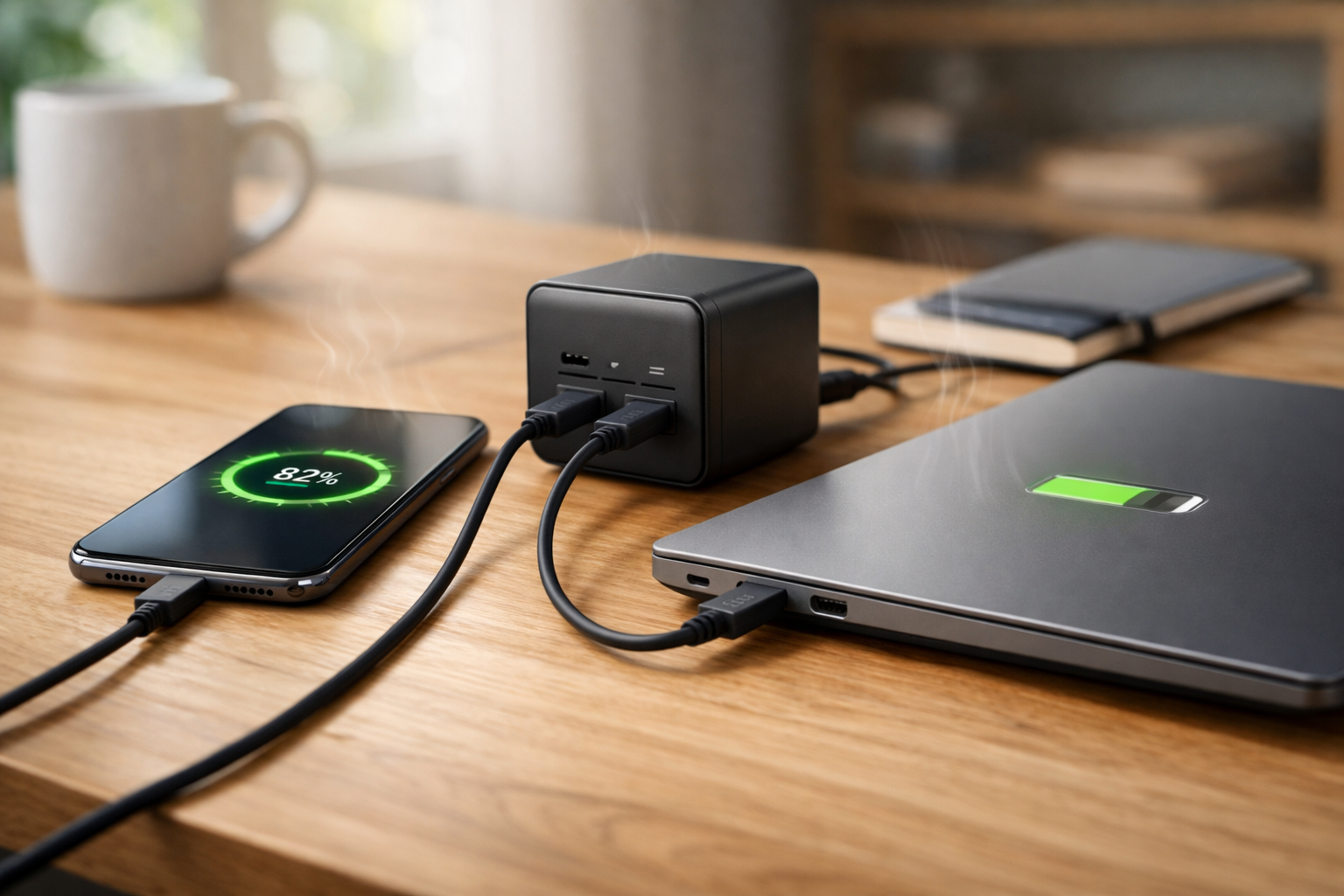
You’ve likely noticed your phone charges from 0% to 50% in 20 minutes… then crawls to 100%. This isn’t a charger issue, it’s intentional battery management.
Lithium-ion batteries degrade faster when:
- Charged at high voltage when nearly full
- Kept at 100% state-of-charge for long periods
- Exposed to high temperatures
To combat this, manufacturers use a two-stage charging curve:
- Constant Current (CC): Full-speed charging up to ~80%
- Constant Voltage (CV): Slower “trickle” charging to 100%
Even powerful chargers like the UGREEN Nexode 140W Multi-Port or Satechi 108W USB-C Travel Charger respect this limit, t’s controlled by your device, not the charger.
✅ Pro Tip: For daily use, stop charging at 80–90%. Many phones (e.g., Samsung, Google Pixel) now include “adaptive charging” that learns your routine and delays full charging until you wake up.
Cable Quality: The Hidden Bottleneck in Fast Charging
A shocking number of slow-charging complaints trace back to low-quality USB-C cables. Not all cables support high power!
USB-C Cable Ratings Matter:
| Cable Type | Max Power | Suitable For |
|---|---|---|
| Standard USB 2.0 | 60W (20V/3A) | Most phones, tablets |
| E-Marked (5A) | 100W+ (20V/5A) | Laptops, high-wattage devices |
| Non-certified/cheap | Often <18W | Risk of overheating, damage |
Cables bundled with chargers like the RAVPower 65W 4-Port USB-C Charger or Zendure SuperPort 100W are usually E-Marked and safe. But third-party $5 Amazon cables? Often not.
🔍 Check your cable: Look for “5A” or “100W” printed on the connector. If absent, assume it’s limited to 60W or less.
Charging While Using Your Device: The Net Power Drain
Here’s a common scenario: You plug in your laptop while editing video – and the battery keeps draining. Why?
Because your device is consuming more power than the charger supplies.
Example:
- Your Dell XPS draws 50W under load
- You’re using a 45W charger (like the Lenovo 65W USB-C Adapter set to lower output)
- Result: Net -5W → battery drains slowly
Solutions:
- Use a charger rated above your device’s max consumption (e.g., Dell 65W USB-C Laptop Charger for ultrabooks)
- Close unused apps and lower screen brightness
- Avoid gaming or video calls while charging on low-wattage adapters
Travel Charging: Voltage Stability and Efficiency
Hotel outlets, airport kiosks, and international sockets often have unstable voltage (100V–240V). Cheap chargers may overheat trying to compensate.
GaN travel chargers excel here:
- Baseus 65W Compact Charger: Handles global voltages, stays cool
- Satechi 108W USB-C Travel Charger: Powers laptop + phone + tablet in one brick
🌍 Travel Tip: Always carry a surge-protected adapter in regions with unreliable grids (e.g., parts of Asia, Africa, South America).
Device-Specific Charging Requirements
Not all devices charge the same way. Know your device’s needs:
| Device Type | Typical Fast Charging Wattage | Recommended Charger Examples |
|---|---|---|
| iPhone 15 / Samsung Galaxy S24 | 20–30W | Anker Nano II 30W, Google 30W USB-C |
| iPad Pro / Surface Go | 30–45W | Spigen 45W GaN, Apple 35W Dual |
| MacBook Air / Dell XPS 13 | 45–65W | Anker 737 65W GaN, HP 65W USB-C |
| Gaming laptops (e.g., ASUS ROG) | 100W+ | Baseus 100W GaN, UGREEN Nexode 140W |
Using an ASUS 65W USB-C Adapter on a non-ASUS laptop may work – but check compatibility first. Some brands lock out third-party chargers.
Safety First: Avoiding Fire and Battery Risks
Overheating isn’t just annoying – it can be dangerous. Follow these safety rules:
- Never use damaged chargers or cables (frayed wires, bent pins).
- Avoid covering chargers with blankets or books.
- Buy certified products: Look for UL, CE, FCC, or ETL marks.
- Don’t leave devices charging unattended overnight on beds or sofas.
- Replace swollen batteries immediately – they’re fire hazards.
Reputable brands like Anker, UGREEN, Baseus, Belkin, and Satechi invest in safety circuits (over-voltage, over-current, short-circuit protection). The Google 30W USB-C Charger, while simple, meets strict safety standards.
Debunking Fast Charging Myths
How to Optimize Your Charging Setup (Step-by-Step)
- Identify your device’s max charging wattage (check specs or manufacturer site).
- Choose a charger with equal or higher wattage and USB-PD support.
- Use an E-Marked USB-C cable rated for your wattage.
- Avoid using the device heavily while charging.
- Keep vents unobstructed and ambient temperature below 35°C (95°F).
- For travel, pick a GaN charger – smaller, cooler, more efficient.
🛠️ DIY Test: Download a battery monitoring app (e.g., Ampere for Android, coconutBattery for Mac) to see real-time charging wattage.
Real-World Charging Setups That Work
| Use Case | Recommended Setup | Why It Works |
|---|---|---|
| Daily phone charging | Anker Nano II 30W + USB-C PD cable | Compact, efficient, cools quickly |
| Work-from-home (laptop + phone) | UGREEN 65W 3-Port GaN | Powers both without throttling |
| Digital nomad travel | Baseus 65W Compact + Satechi 108W | Global voltage support, multi-device |
| Gaming/creative laptop | UGREEN Nexode 140W | Delivers full 100W+ to demanding devices |
Slow Charging Is Usually Fixable
Slow charging and device heating are rarely signs of broken hardware. More often, they stem from:
- Mismatched charger/device capabilities
- Low-quality or underrated cables
- Charging under heavy load
- Natural battery protection mechanisms
By understanding USB-C Power Delivery, choosing GaN-based chargers like the Anker 737 65W, Baseus 100W, or UGREEN Nexode 140W, and using certified cables, you can achieve safe, efficient, and genuinely fast charging.
And remember: a little warmth is normal – but excessive heat is a warning. When in doubt, unplug, inspect, and prioritize safety over speed.